SSH terminals
Open multiple sessions in tabs or desktop splits. Search the terminal buffer, reconnect a session and reuse saved commands.
Terminal guide Serlink
 Open terminal sessions, transfer files and manage server connections. Store credentials in an encrypted local vault, with optional iCloud or WebDAV sync.
Public release in preparation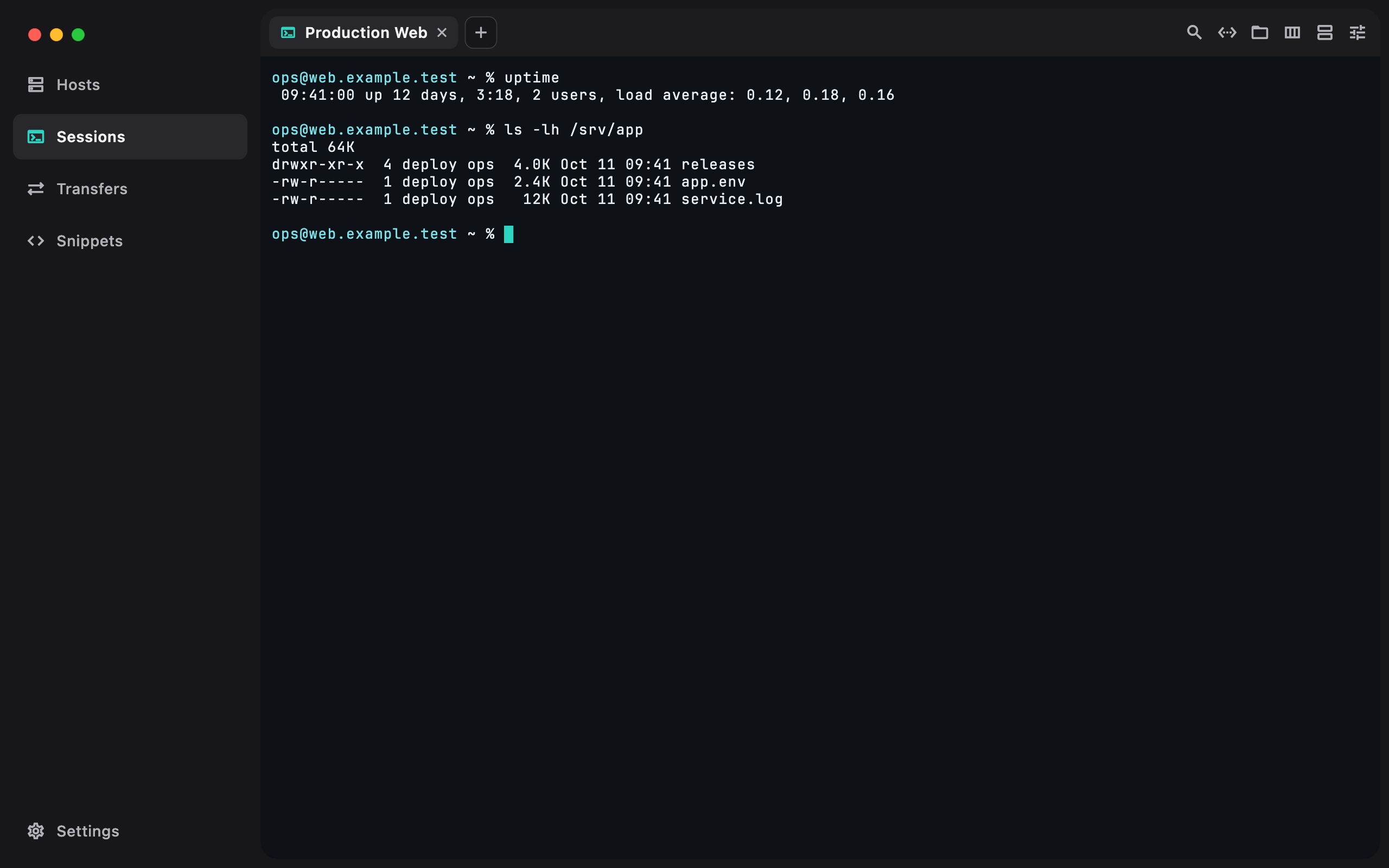
Actual app interface. Fictional example data.
Open multiple sessions in tabs or desktop splits. Search the terminal buffer, reconnect a session and reuse saved commands.
Terminal guideBrowse remote directories, edit supported text files and track transfers. Pause, resume or retry supported tasks from the queue.
File transfer guideOrganize hosts with tags and reusable credentials. Connect through jump hosts and verify server host keys before trusting a connection.
Host setupNo Serlink account to create. Your workspace is encrypted locally. Optional sync goes to your WebDAV endpoint or Apple’s private CloudKit database.
Vault and recovery guideDownloaded files and plaintext exports need their own protection.
Connect an external agent to terminal sessions you approve. Serlink handles SSH authentication; the MCP configuration does not include your passwords or private keys.
The public macOS release is being prepared. Check platform availability or build from source.